Digital Paper: Practical Applications for Modern Creatives and Professionals
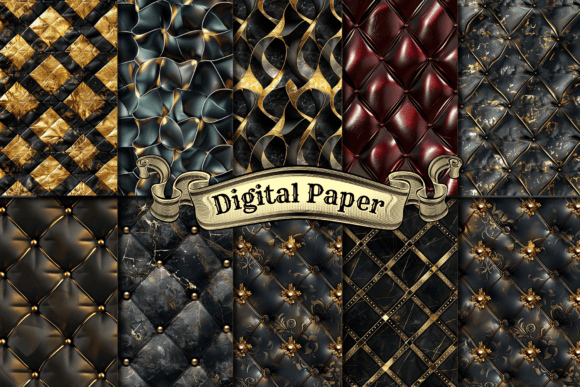
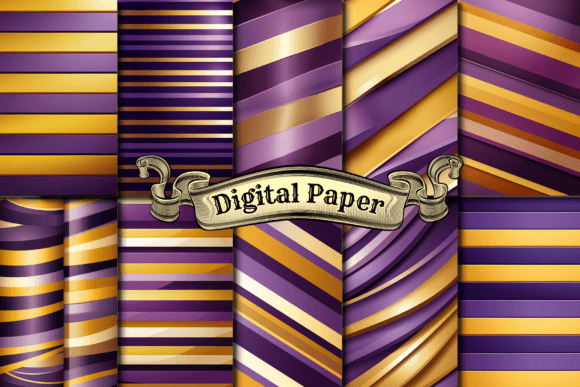
At its core, digital paper is a high-resolution image file designed to mimic the texture, pattern, and aesthetic of traditional physical paper. Unlike standard solid-color backgrounds or complex photographic stock images, digital paper provides a tactile foundation for design work without the mess, cost, or storage issues of physical stationery. It serves as a versatile canvas that bridges the gap between analog warmth and digital efficiency. While often associated with scrapbooking, its utility extends far beyond hobbyist crafts into professional branding, educational resources, web design, and digital planning.
Elevating Brand Identity and Packaging Design
For small business owners and freelance designers, establishing a cohesive brand identity often requires texture to stand out in a saturated digital marketplace. Flat vector graphics can sometimes feel sterile or impersonal. Incorporating digital paper into branding assets adds an immediate layer of sophistication and approachability. A bakery might use a subtle flour-dusted texture on their social media templates to evoke freshness and homemade quality. Conversely, a luxury skincare brand might utilize a linen or silk-textured digital paper for email newsletters to communicate softness and premium care.
This application is particularly valuable for product packaging mockups. Before committing to expensive printing runs, designers can overlay digital paper textures onto 3D renders or flat mockups to visualize how a label will look on kraft paper, recycled cardstock, or matte vellum. This allows for rapid iteration and client approval without physical waste. The ability to swap textures instantly means you can present three distinct packaging vibes in the time it used to take to source and photograph a single physical sample.
The Renaissance of Digital Planning and Journaling
The explosion of tablet-based note-taking apps like GoodNotes, Notability, and Zinnia has created a massive demand for functional yet beautiful digital paper. Users in this space are not just looking for pretty backgrounds; they need usability. Digital paper for planners differs from decorative scrapbook paper because it must accommodate handwriting and UI elements. High-contrast textures can interfere with legibility, so the most effective digital papers for this audience feature low-opacity patterns or muted tones that sit comfortably behind handwritten notes.
Beyond aesthetics, these files serve a structural purpose. Many digital planners use hyperlinked digital paper tabs to navigate between months, weeks, and daily logs. Creators selling these templates must understand that the paper acts as the user interface. A teacher using a digital planner needs durable-looking textures that imply organization and reliability, while a wellness coach might prefer watercolor washes that promote calm. Understanding the psychological impact of texture helps creators choose or design digital paper that enhances the user's productivity rather than distracting from it.
Streamlining Print-on-Demand and Merchandise
Entrepreneurs utilizing print-on-demand (POD) services face a unique challenge: creating products that look bespoke without holding inventory. Digital paper is the secret weapon for POD success. Instead of placing a simple logo on a white mug or notebook, sellers can wrap the entire product in a seamless digital paper pattern. This transforms a generic blank item into a curated piece of merchandise. Seamless repeating patterns are essential here, as they ensure the design flows naturally around curved surfaces like tumblers or phone cases without visible breaks or misalignations.
This approach also mitigates the risk of copyright infringement common in POD. By using licensed commercial-use digital paper or creating original textures, sellers build a defensible product line. Furthermore, digital paper allows for seasonal pivots with zero overhead. A seller can offer autumn-themed notebooks in October and switch to icy blue textures in December simply by updating the background file, keeping the store relevant year-round without restocking physical goods.
Enhancing Educational Materials and Worksheets
Educators and curriculum designers have long relied on visual hierarchy to maintain student engagement. Plain white worksheets can induce fatigue, especially for younger learners or neurodivergent students. Digital paper offers a solution that is both practical and accessible. Subtle grid paper, dotted guidelines, or light parchment textures can provide necessary scaffolding for writing tasks without overwhelming the content. For special education resources, specific colored digital papers (like cream or pastel blue) can reduce glare and improve readability for students with dyslexia or visual processing sensitivities.
Teachers creating resources for platforms like Teachers Pay Teachers also benefit from the professional polish digital paper provides. It signals effort and quality to potential buyers. However, functionality must remain paramount. The best educational digital paper is tested for printability; what looks vibrant on a screen must still be legible when printed on a standard classroom laser printer. Designers in this niche often provide both full-color and grayscale versions of their digital paper to accommodate schools with limited color printing budgets.
Critical Considerations Before You Buy or Create
While digital paper is incredibly useful, selecting the wrong file can lead to frustration. Resolution is the first technical hurdle. For any project intended for print, 300 DPI (dots per inch) at the final output size is non-negotiable. A file that looks crisp on a monitor may appear pixelated or blurry when printed on an 8x10 card. Always verify the pixel dimensions relative to your intended use. Web-only projects can utilize 72 DPI to reduce load times, but mixing low-res web textures into print workflows is a common pitfall.
Licensing is equally critical. Just because a digital paper is available for download does not mean it is free for commercial use. Licenses vary wildly; some allow for end-products (like a printed invitation) but prohibit using the paper as part of a new digital template for resale. Others require attribution or limit the number of units sold. Reading the fine print protects your business from legal issues. Additionally, consider the color profile. RGB files are optimized for screens and may shift colors unexpectedly when converted to CMYK for professional printing. Sourcing digital paper that includes both profiles ensures consistency across mediums.
Navigating Limitations and Best Practices
Despite its versatility, digital paper cannot perfectly replicate every aspect of physical media. It lacks true depth, variable fiber distribution, and the interaction with ink that makes real paper unique. Over-relying on heavy textures can sometimes make designs look dated or cluttered. The current design trend favors subtlety; textures should support the content, not compete with it. When layering digital paper, adjusting opacity or using blend modes in software like Photoshop or Procreate can help integrate the texture more naturally rather than having it sit rigidly on top of other elements.
File management is another practical consideration. High-resolution digital paper collections can quickly consume storage space. Establishing a consistent naming convention and folder structure prevents workflow bottlenecks. Tagging files by color, style, and license type saves hours of searching later. For those creating their own digital paper, maintaining organized source files (including unflattened layers) allows for future adjustments. A texture that works perfectly for a wedding invitation today might need recoloring for a corporate report next year. Keeping editable masters ensures your digital paper library remains a living, adaptable asset rather than a static archive.
Ultimately, digital paper is a tool for efficiency and expression. Whether you are designing a bestselling planner, branding a boutique, or creating accessible learning materials, the right texture sets the tone before a single word is read. By prioritizing technical quality, understanding licensing, and focusing on the end-user experience, you can leverage digital paper to create work that feels intentionally crafted in an increasingly automated world.